vibe-coding
🌍🌌🎬🏆 Vibe Coding Projects Collection
This repository contains three creative frontend projects built using vibe coding principles: fast iteration, visual feedback, real-world data, and fun exploration.
Each project emphasizes learning by building, using HTML, CSS, JavaScript, and 3D visualization.
🎬 movie-actor-explorer-v1
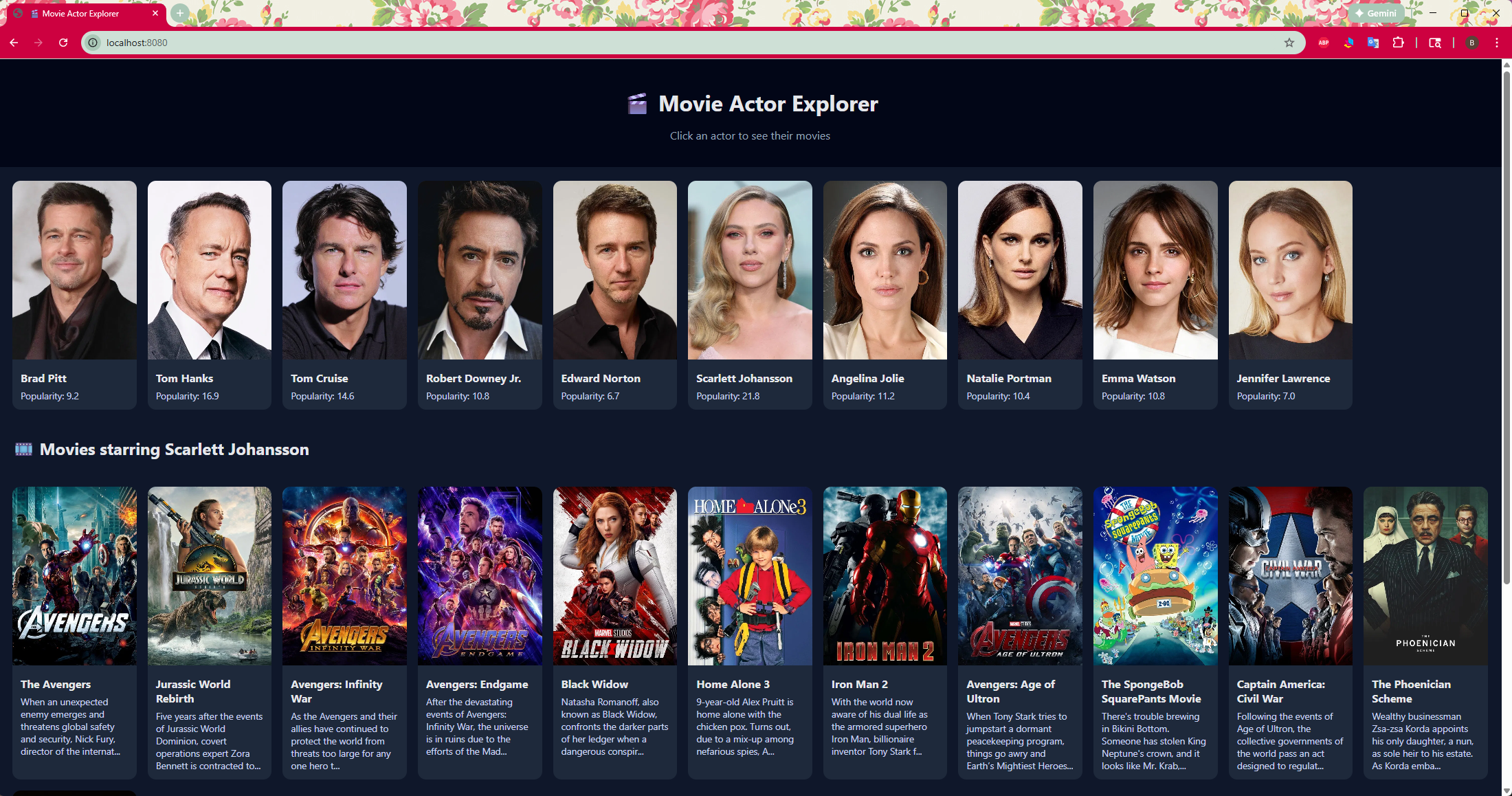
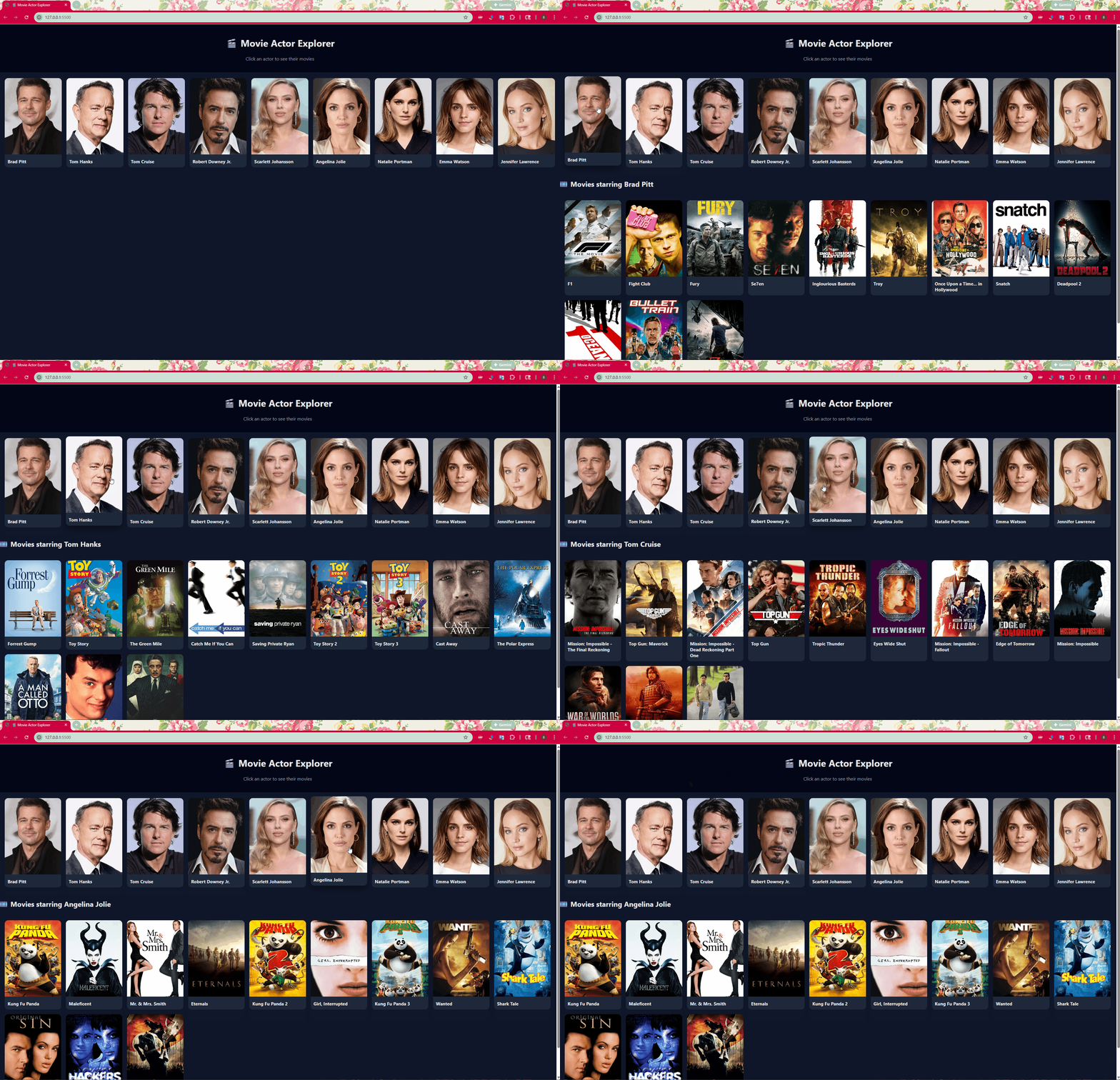
Movie Actor Explorer
Description
A card-based app to explore famous movie actors and their movies using a public REST API.
Vibe Coding Focus
- Card-based UI
- Click → detail interaction
- Entertainment data
Key Learning
- REST API usage
- JSON parsing
- Dynamic UI updates
🌌 solar-system-v1
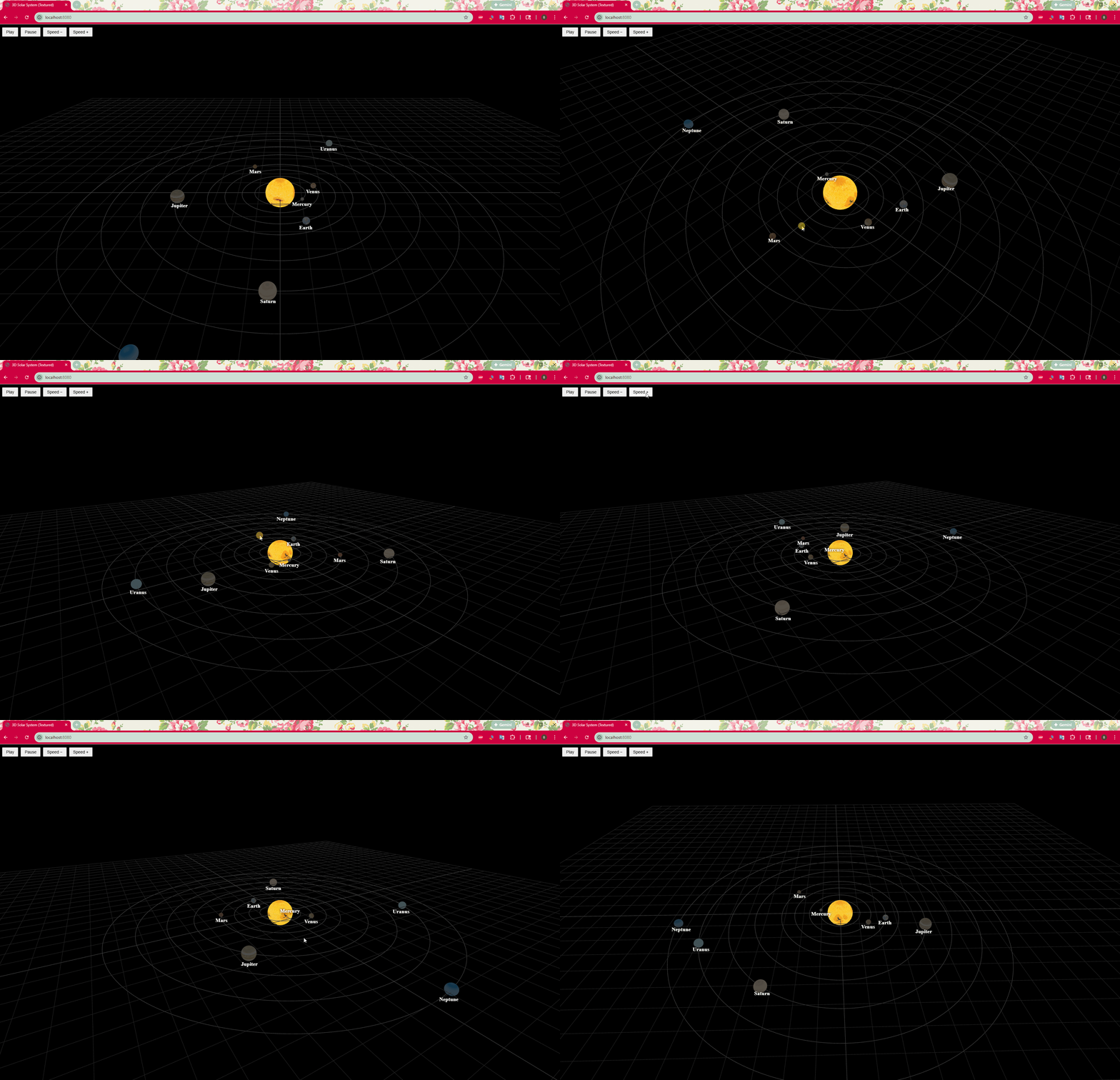
3D Solar System Visualization
Description
A 3D visualization of the solar system built with Three.js, showing the Sun and planets orbiting in space.
Vibe Coding Focus
- 3D thinking and spatial reasoning
- Animation and motion
- Visual learning through simulation
Key Learning
- Three.js fundamentals
- Animation loops
- Texture mapping
- Coordinate systems
📥 How to Download Planet Textures (Manual)
This Solar System project uses planet surface textures that you can download manually from the Planet Texture Maps Wiki.
Step-by-Step Instructions
-
Open the texture source site in your browser:
👉 https://planet-texture-maps.fandom.com/wiki/Planet_Texture_Maps_Wiki
-
Use the navigation menu or search box to find a planet.
-
On the planet page, scroll until you see the texture image.
-
Right-click on the texture preview and choose:
🌍 earthquakes-v1
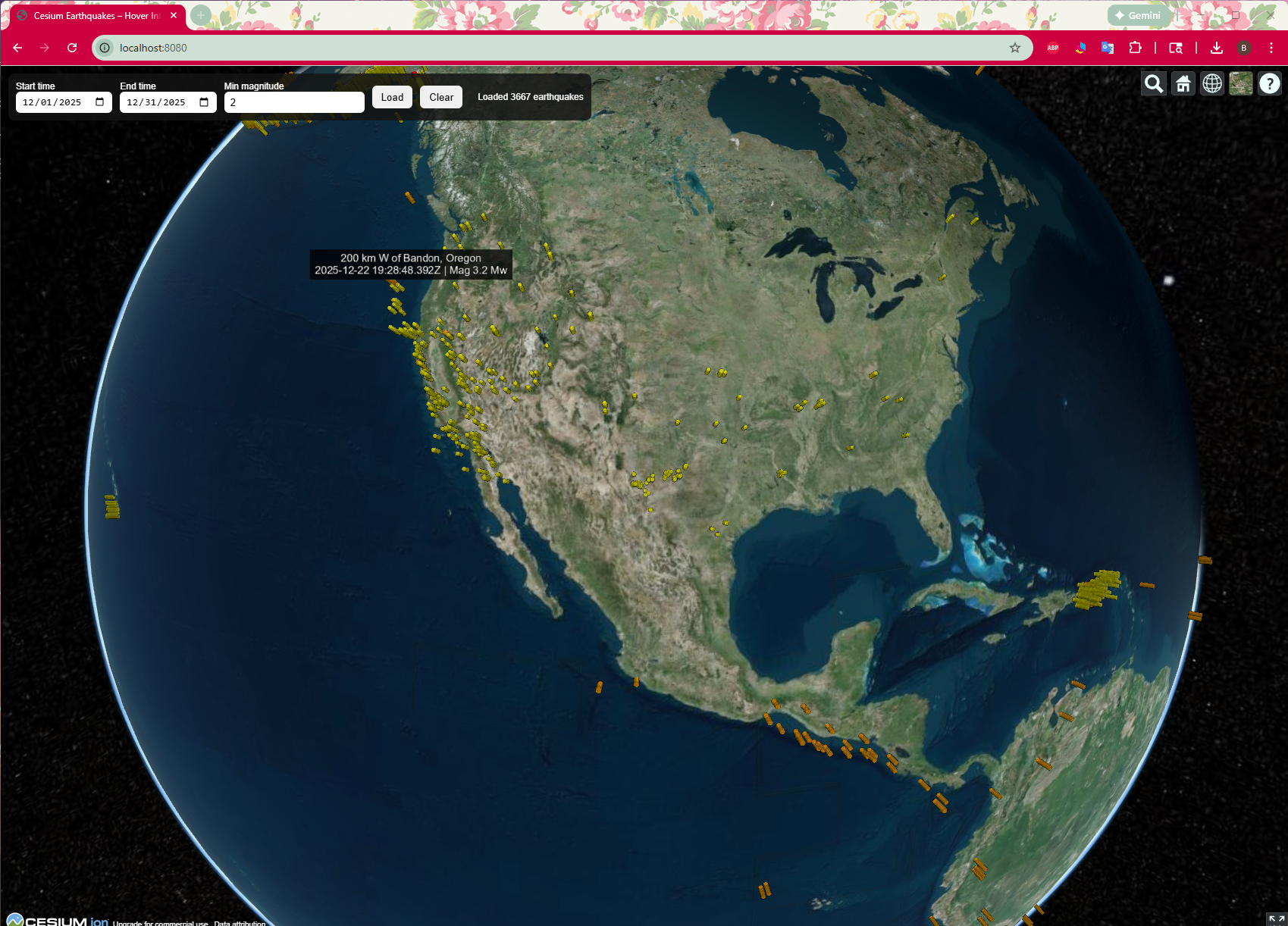
Earthquake 3D Cesium Visualization
 \
\
Description
A 3D globe visualization displaying recent earthquake activity using CesiumJS.
Vibe Coding Focus
- Real-world geospatial data
- 3D globe visualization
- Visual learning through motion and scale
Key Learning
- CesiumJS basics
- Coordinates and mapping
- Scientific data visualization
🎯 Overall Vibe Coding Philosophy
All projects follow these principles:
- Build fast, learn fast
- Visual-first design
- Use real-world data
- Learn through interaction
- No heavy frameworks
Ideal for:
- Learning frontend development
- Teaching middle school, high school, or college students
- Rapid prototyping
- Portfolio projects
🎧 Vibe Coding Syllabus (7 Sessions)
This 7-session course introduces students to Vibe Coding —
a visual, hands-on way to learn web development by building real projects
with HTML, CSS, JavaScript, REST APIs, and 3D visualization.
Students will build three complete projects and learn how to extend them with their own creative ideas.
🧠 What Is Vibe Coding?
Vibe Coding means:
- Build first, understand while building
- Focus on visuals and interaction
- Use real-world data
- Keep things simple and fun
- Learn by experimenting
🗓 Session Overview
| Session | Topic |
|---|---|
| 1 | Vibe Coding & Web Basics |
| 2 | HTML / CSS / JavaScript 101 |
| 3 | VS Code & Local Web Server |
| 4 | Movie Actor Explorer Project |
| 5 | Solar System 3D Project |
| 6 | Earthquake Cesium Project |
| 7 | Extending Features & GitHub Basics |
🟢 Session 1: Vibe Coding & Web Basics
Goals
- Understand what Vibe Coding is
- Learn how the web works
- Explore all projects
Topics
- What are HTML, CSS, and JavaScript?
- How browsers load web pages
- Frontend vs Backend (conceptual)
- REST API basics (high-level)
Activities
- Open a simple HTML file
- Change text and refresh the browser
- Explore demo projects
🛠 Week 1 Tools
1. The 3 Pillars of the Web — Simple visual: HTML, CSS, JavaScript

2. The 3 Pillars of the Web (Detail) — Full interactive explainer with code and live demos

3. Vibe Tool — Orbit-style launcher for VS Code, GitHub, and Gmail

4. Go Live with GitHub Pages — Step-by-step guide to publish your HTML with GitHub Pages

5. Vibe Coding AI Tools — Orbit-style launcher for Claude and ChatGPT

🟢 Session 2: HTML / CSS / JavaScript 101
Goals
- Build basic web pages
- Understand structure, style, and behavior
Topics
- HTML elements (
div,img,h1) - CSS basics (colors, fonts, layout)
- JavaScript fundamentals
- Click events (
onclick)
Activities
- Create a card layout
- Style cards with CSS
- Add JavaScript click behavior
🛠 Week 2 Tools
1. Create GitHub account — Step-by-step guide to create in GitHub

2. Connect GitHub to VS Code — Step-by-step guide to sign in to GitHub inside VS Code

3. TMDB API Token — How to create your free TMDB API token for the Movie Actor Explorer

🟢 Session 3: VS Code & Local Web Server
Goals
- Use VS Code confidently
- Run projects locally
Topics
- VS Code interface
- Project folder structure
- Live Server extension
- Browser DevTools basics
Activities
- Install VS Code
- Install Live Server
- Run a project locally
- Inspect HTML and JavaScript in DevTools
🟢 Session 4: Movie Actor Explorer Project
Goals
- Build a REST API–driven project
- Understand
fetch()and JSON
Topics
- REST API structure
- Fetching data from APIs
- Parsing JSON
- Dynamic DOM updates
Activities
- Build actor cards
- Click actor → load movies
- Show posters and descriptions
- Add new actors
Project
movie-actor-explorer-v1
🟢 Session 5: Solar System 3D Project
Goals
- Learn 3D visualization concepts
- Understand orbits and motion
Topics
- Three.js basics
- 3D coordinate systems
- Orbits and animation loops
- Texture mapping
Activities
- Render the Sun and planets
- Animate planetary orbits
- Add labels and controls
- Adjust speed and camera view
Project
solar-system-v1
🟢 Session 6: Earthquake Cesium Project
Goals
- Learn 3D map visualization
- Understand geographic coordinates
Topics
- CesiumJS fundamentals
- Latitude and longitude
- 3D globe navigation
- Visualizing scientific data
Activities
- Plot earthquakes on Earth
- Color earthquakes by magnitude
- Explore time-based data
Project
earthquakes-v1
🟢 Session 7: Extending Features & GitHub Basics
Goals
- Extend projects creatively
- Learn GitHub fundamentals
Topics
- Adding new features
- Refactoring code
- GitHub repositories and commits
- Initialize Git
git init - Check:
git status - Set the origin remote This is the exact command VS Code runs behind the scenes:
git remote add origin https://github.com/[git hub id]/[repository name].git
git remote add origin https://github.com/benchvue/GeoGebra.git- First commit
 git add .
 git commit -m "Initial commit"
Push to GitHub
git push
- Initialize Git
- Writing README files
- Sharing projects online
Activities
- Add a new feature to any project
- Create a GitHub repository
- Commit code
- Write a README
- Share project links
📄 License
All projects are free to use for learning, demos, and education.